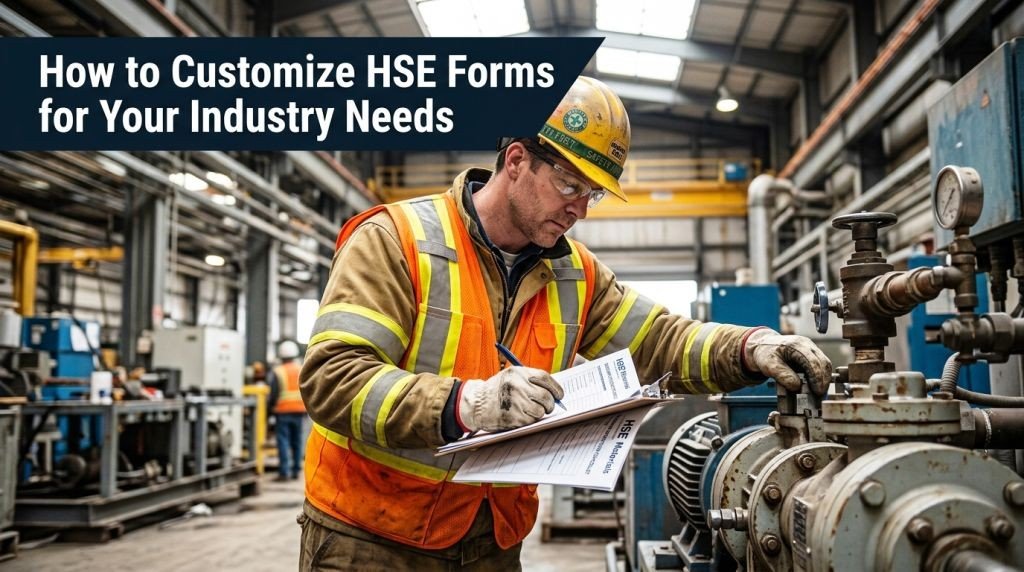
How to Customize HSE Forms for Your Industry Needs

How to Customise HSE Forms to you Needs

Generic HSE forms often miss the mark. A construction site has different risks than a hospital, and a one-size-fits-all approach to workplace safety documentation can leave real gaps in your compliance process.

This guide is for safety managers, HSE officers, and operations leads who want their health and safety forms to actually reflect what happens on the ground in their specific industry.

Here’s what we’ll walk through:

  • Why HSE forms customization matters and what makes a form genuinely useful versus just a box-ticking exercise
  • How to identify your industry-specific HSE requirements so you know exactly what to change and what to keep
  • Practical steps to build, test, and roll out custom HSE risk assessment forms your team will actually use

By the end, you’ll have a clear process for creating safety compliance forms that fit your workflow, not the other way around.

Understanding the Core Purpose of HSE Forms

3:2 aspect ratio, full-bleed professional infographic with a clean white background and blue, teal, and orange accents. Large bold heading across the top: "Understanding the Core Purpose of HSE Forms". Use a wide horizontal layout with four evenly spaced content blocks across the middle, each with a clear icon and short text.

Left block: a blue clipboard icon with a checkmark, title text "1. Record Safety Information" and smaller text "Document hazards, incidents, inspections, and observations."

Second block: a teal shield icon, title text "2. Support Compliance" and smaller text "Meet HSE standards, policies, and legal requirements."

Third block: an orange warning triangle icon, title text "3. Prevent Incidents" and smaller text "Identify risks early and take corrective action."

Right block: a dark blue report/document icon with a bar chart, title text "4. Track and Improve" and smaller text "Monitor trends, review data, and strengthen workplace safety."

Add a slim bottom band with three small labeled icons spaced horizontally: "Hazard Reporting", "Incident Logging", "Safety Audits". Use modern sans-serif fonts, bold section titles, clear visual hierarchy, subtle dividers, and balanced spacing. No borders or poster frame.

Key Functions HSE Forms Serve in Workplace Safety

Health and safety forms are the backbone of any safety management system. They do three things well:

  • Document hazards before they become incidents
  • Record compliance with legal and regulatory obligations
  • Track corrective actions so nothing slips through the cracks

Without solid workplace safety documentation, you’re essentially managing risk from memory — which never ends well.


Why Generic Forms Fall Short for Specific Industries

A standard HSE risk assessment form built for an office environment won’t cut it on a construction site or in a chemical plant. Generic HSE form templates often miss:

Generic Form GapIndustry Impact
Vague hazard categoriesCritical risks go unrecorded
Missing sector-specific PPE fieldsCompliance gaps during audits
No industry terminologyConfusion among frontline workers

Occupational health forms designed for “everyone” tend to work well for “no one.”


Why Customized Forms Improve Compliance and Reporting Accuracy

When workers recognize the language, equipment, and scenarios on a form, they fill it out correctly — and completely. HSE forms customization directly reduces reporting errors, strengthens audit readiness, and makes HSE compliance forms far easier to enforce across teams. Custom forms feel relevant, so people actually use them.

Assessing Your Industry-Specific HSE Requirements

Create a clean, professional full-bleed infographic illustration in a 3:2 aspect ratio, wide horizontal layout with no poster frame and no large outer margins. Use a modern corporate style with a white background, dark navy headings, teal and blue accent colors, subtle gray dividers, and clear sans-serif typography. Include a bold top heading across the full width.

Top heading at the upper center:
"Assessing Your Industry-Specific HSE Requirements"

Below the heading, organize the content into four wide horizontal sections or a 2x2 grid with icons and short body text, each section clearly separated.

Section 1 on the upper left with a clipboard-and-law icon:
"1. Review Relevant Regulations and Legal Standards for Your Sector"
Body text:
"Pull together the regulations that apply directly to your industry. Construction sites answer to different standards than healthcare facilities or chemical plants. Check OSHA standards, local legislation, and sector-specific guidelines from bodies like the EPA or industry associations. Your HSE compliance forms must reflect these requirements — not generic ones."

Section 2 on the upper right with a hard hat and hazard triangle icon:
"2. Identify Unique Hazards and Risks Common to Your Industry"
Body text:
"Every industry carries its own risk profile. Mining deals with confined spaces and explosives. Healthcare faces biological exposure and needle-stick injuries. Build your HSE risk assessment forms around the hazards your workers actually encounter daily, not theoretical ones."

Section 3 on the lower left with a worker and speech bubbles icon:
"3. Gather Input from Workers and Safety Officers on Ground-Level Needs"
Body text:
"The people doing the job know what's missing. Run short interviews or quick surveys with frontline staff and safety officers. Their feedback often reveals blind spots that no regulation document will catch. This step is what separates useful industry-specific HSE forms from paperwork nobody reads."

Section 4 on the lower right with a magnifying glass and form checklist icon:
"4. Map Current Gaps Between Existing Forms and Actual Workplace Conditions"
Body text:
"Compare your current workplace safety documentation against real conditions on-site. A simple gap analysis works well here:"

At the bottom, include a clean three-column comparison table with bold header row and subtle grid lines. Use a small table icon on the left of the table title. Table title above the table:
"Gap Analysis"

Table columns exactly:
"Current Form Coverage"
"Actual Workplace Condition"
"Gap Identified"

Table rows exactly:
"Generic chemical handling" | "Site-specific solvent exposure" | "Missing exposure thresholds"
"Standard incident report" | "Near-miss tracking" | "No near-miss category"
"Basic PPE checklist" | "Respiratory equipment checks" | "Incomplete inspection criteria"

Use small visual markers or icons beside each section number, keep all text crisp and readable, and balance the layout with ample spacing, aligned blocks, and strong visual hierarchy.

Review Relevant Regulations and Legal Standards for Your Sector

Start by pulling together the regulations that apply directly to your industry. Construction sites answer to different standards than healthcare facilities or chemical plants. Check OSHA standards, local legislation, and any sector-specific guidelines from bodies like the EPA or industry associations. Your HSE compliance forms must reflect these requirements — not generic ones.

Identify Unique Hazards and Risks Common to Your Industry

Every industry carries its own risk profile. Mining deals with confined spaces and explosives. Healthcare faces biological exposure and needle-stick injuries. Build your HSE risk assessment forms around the hazards your workers actually encounter daily, not theoretical ones.

Gather Input from Workers and Safety Officers on Ground-Level Needs

The people doing the job know what’s missing. Run short interviews or quick surveys with frontline staff and safety officers. Their feedback often reveals blind spots that no regulation document will catch. This step is what separates useful industry-specific HSE forms from paperwork nobody reads.

Map Current Gaps Between Existing Forms and Actual Workplace Conditions

Compare your current workplace safety documentation against real conditions on-site. A simple gap analysis works well here:

Current Form CoverageActual Workplace ConditionGap Identified
Generic chemical handlingSite-specific solvent exposureMissing exposure thresholds
Standard incident reportNear-miss trackingNo near-miss category
Basic PPE checklistRespiratory equipment checksIncomplete inspection criteria

Choosing the Right HSE Form Types to Customize

Aspect ratio 3:2, full-bleed clean professional infographic, modern corporate safety design, white background with teal, navy blue, orange, and green accents, sans-serif bold typography, strong visual hierarchy.

Top header spanning the width: large bold title text "Choosing the Right HSE Form Types to Customize" with a small safety helmet icon and checklist icon beside it.

Below the title, create three wide horizontal content sections arranged left to right in a 3-column layout with clear spacing and colored section headers:

1) Left section with a shield-and-check icon and header text "Prioritize Forms with the Highest Impact on Safety Outcomes"
Include short body text in compact bullets:
- "Risk assessment forms"
- "Permit-to-work documents"
- "LOTO (lockout/tagout) checklists"
Add a small upward arrow and safety impact meter graphic showing "Highest safety return"

2) Center section with a magnifying glass icon and header text "Select Forms That Address Your Most Frequent Incident Types"
Include a small incident-to-form mapping table with two columns labeled "Incident Pattern" and "Form to Prioritize"
Rows:
- "Chemical exposure" | "Hazardous substance risk assessment"
- "Equipment failures" | "Preventive maintenance checklist"
- "Manual handling injuries" | "Ergonomic risk assessment form"
- "Contractor incidents" | "Contractor safety induction form"
Add small icons next to each row: chemical flask, gear, lifting box, hard hat contractor badge

3) Right section with a legal document icon and header text "Determine Which Forms Require the Most Regulatory Alignment"
Include concise bullets:
- "COSHH"
- "RIDDOR"
- "Industry-specific regulations"
- "Match current standards precisely"
Add a red boundary line and lock icon labeled "Non-negotiables"

At the bottom across the full width, include a bold takeaway banner with a green check icon and text:
"Customizing the right HSE forms first improves safety, compliance, and incident control"

Use balanced icons, clean grid alignment, subtle dividers, no frame, no mockup, no 3D effects, no crowded text, readable spacing, professional infographic style.

Prioritize Forms with the Highest Impact on Safety Outcomes

Not all HSE forms carry equal weight. Start by identifying which forms directly influence injury prevention and incident control. Risk assessment forms, permit-to-work documents, and LOTO (lockout/tagout) checklists typically top this list. Customizing these first gives you the biggest safety return on your effort.

Select Forms That Address Your Most Frequent Incident Types

Pull your incident logs from the past 12–24 months and look for patterns. If near-misses cluster around chemical handling, your hazardous substance forms need the most attention. If slips and falls dominate, customize your workplace inspection checklists to reflect those specific environments. Industry-specific HSE forms built around real data are always more effective than generic templates.

Incident PatternForm to Prioritize
Chemical exposureHazardous substance risk assessment
Equipment failuresPreventive maintenance checklist
Manual handling injuriesErgonomic risk assessment form
Contractor incidentsContractor safety induction form

Determine Which Forms Require the Most Regulatory Alignment

Some health and safety forms are directly tied to legal obligations. HSE compliance forms covering COSHH, RIDDOR, or industry-specific regulations need to match current standards precisely. Identify these non-negotiables early — they’re the ones where customization must stay within defined regulatory boundaries rather than creative freedom.

Key Elements to Modify for Maximum Relevance

Create a clean, professional infographic illustration in a 3:2 aspect ratio, full-bleed background, no frame, no inset margins, no narrow centered stack. Use a modern corporate style with navy blue, teal, light gray, and white, with yellow accent highlights. Use a bold sans-serif headline at the top left reading "Key Elements to Modify for Maximum Relevance". Place a small subtitle beneath it in lighter text: "Make HSE forms specific to your environment, roles, and regulations."

Arrange five wide horizontal content blocks across the page in a balanced 2-row layout: three blocks across the top row and two larger blocks across the bottom row. Each block should have a colored number badge, a clear icon, a bold section title, and 1–2 short lines of body text. Use simple flat icons.

Top row, left block:
Blue circle badge with "1" and a hard-hat and hazard triangle icon.
Title: "Tailor Risk Categories and Hazard Descriptions to Your Environment"
Body text: "Map hazards to your physical environment, equipment, and workflows. Replace generic labels with risks workers can identify instantly."

Top row, center block:
Teal circle badge with "2" and a clipboard checklist icon.
Title: "Add Industry-Specific Checklists and Inspection Criteria"
Body text: "Build checklists around real assets and processes. Tie each item to actual failure points your team has encountered."

Top row, right block:
Yellow circle badge with "3" and a data form icon with fields and chart bars.
Title: "Adjust Reporting Fields to Capture Data Meaningful to Your Operations"
Body text: "Track the metrics that help prevent the next incident: shift patterns, production outputs, environmental conditions, and contractor involvement."

Bottom row, left wide block:
Purple circle badge with "4" and two role icons, a supervisor badge and a lab technician beaker.
Title: "Include Role-Specific Sections for Different Team Responsibilities"
Body text: "Segment forms so each role only sees what is relevant to their tasks, reducing confusion and incomplete submissions."

Bottom row, right wide block:
Red circle badge with "5" and a regulation document icon with a stamp and checkmark.
Title: "Incorporate Regulatory References Relevant to Your Industry"
Body text: "Embed exact regulation codes or standards, such as OSHA, ISO, and local compliance frameworks, directly into your forms."

Add thin connecting lines or subtle arrows between the blocks to suggest a process of customization. Use strong visual hierarchy, generous spacing, crisp typography, and high readability. Keep all text exactly as written, with no extra text.

Tailor Risk Categories and Hazard Descriptions to Your Environment

Generic hazard labels like “chemical exposure” mean very little without context. A mining operation faces completely different risks than a hospital ward. Map your risk categories directly to your physical environment, equipment, and workflows so workers can identify hazards instantly without guessing.

Add Industry-Specific Checklists and Inspection Criteria

Off-the-shelf HSE form templates rarely cover sector-specific equipment or processes. Build checklists around your actual assets — whether that’s scaffolding, food processing machinery, or electrical switchboards. Tie each checklist item to a real failure point your team has encountered.

Adjust Reporting Fields to Capture Data Meaningful to Your Operations

Ask yourself: what data helps you prevent the next incident? Customize reporting fields to track metrics your industry actually monitors — shift patterns, production outputs, environmental conditions, or contractor involvement.

Include Role-Specific Sections for Different Team Responsibilities

A site supervisor and a lab technician carry different accountability. Segment your occupational health forms so each role only sees what’s relevant to their tasks, reducing confusion and incomplete submissions.

Incorporate Regulatory References Relevant to Your Industry

Embed the exact regulation codes or standards that apply — OSHA standards, ISO requirements, or local compliance frameworks — directly into your HSE compliance forms. This removes ambiguity and makes audits significantly smoother.

Practical Steps to Build and Test Your Custom HSE Forms

Create a full-bleed professional infographic in 3:2 landscape ratio with a clean modern corporate style, white background, blue and teal accents, dark gray text, subtle light-gray dividers, and bold sans-serif typography. Place a large bold heading across the top center: "Practical Steps to Build and Test Your Custom HSE Forms". Use a wide horizontal layout with four equal sections across the page, not a vertical poster.

Section 1 on the left: a blue digital form icon with a mouse cursor and small dropdown fields. Title text: "1. Use Digital Tools or Templates". Smaller supporting text below: "Choose Microsoft Forms, Google Forms, or HSE templates. Drag, drop, customize, and use conditional logic for relevant fields only."

Section 2 left-center: a teal pilot-test icon showing 5–10 worker silhouettes, a clipboard, and a checkmark. Title text: "2. Pilot with a Small Team". Smaller supporting text below: "Test with 5–10 workers in one department or worksite. Use a realistic scenario and watch how they complete the form."

Section 3 right-center: an orange feedback icon with speech bubbles, a pencil, and a magnifying glass. Title text: "3. Collect Feedback and Refine". Smaller supporting text below as three bullet points:
"• Are any questions confusing or redundant?"
"• Did the form miss site-specific hazards?"
"• Was completion time reasonable?"
Add a small note below: "Fine-tune the form before scaling up."

Section 4 on the right: a green training icon showing a presenter, laptop, and open guide booklet. Title text: "4. Train Staff on the Revised Forms". Smaller supporting text below: "Use walkthrough videos, quick-reference guides, or hands-on demos. Explain why each field matters, not just how to fill it in."

Add a thin horizontal flow line or arrows connecting the four sections from left to right. Include small numbered circles 1, 2, 3, 4 above each section. Keep plenty of whitespace, crisp alignment, and clear visual hierarchy.

Use Digital Tools or Templates to Design Your Updated Forms

Start with a solid foundation — pick a digital platform like Microsoft Forms, Google Forms, or dedicated HSE form templates built for safety management. These tools let you drag, drop, and customize fields without needing a developer. Look for platforms that support conditional logic, so fields appear only when relevant to a specific task or hazard.

Pilot the New Forms with a Small Team Before Full Rollout

Run a controlled test with 5–10 workers in one department or worksite. This catches gaps in your HSE compliance forms before they create real problems across the organization. Give the pilot group a realistic scenario and watch how they navigate the form naturally.

Collect Feedback and Refine Based on Real-World Usability

After the pilot, gather structured feedback:

  • Were any questions confusing or redundant?
  • Did the form miss any site-specific hazards?
  • Was the completion time reasonable?

Use this input to fine-tune your industry-specific HSE forms before scaling up.

Train Staff on How to Complete and Submit the Revised Forms

A well-designed form still fails if people don’t know how to use it. Run short, practical training sessions — walkthrough videos, quick-reference guides, or hands-on demos work best. Focus on why each field matters, not just how to fill it in.

Maintaining and Updating Your Custom HSE Forms Over Time

Schedule Regular Reviews to Keep Forms Aligned with Changing Regulations

Set a fixed review calendar — quarterly works well for high-risk industries, while annual reviews may suffice for lower-risk environments. Tie these reviews to known regulatory update cycles, such as OSHA or ISO 45001 revisions, so your HSE compliance forms never fall behind. Assign a named owner for each form to avoid the “someone else will handle it” trap.

Track Form Performance Through Incident Data and Audit Results

Your workplace safety documentation tells a story — read it. Cross-reference completed HSE risk assessment forms with near-miss reports and audit findings to spot patterns. If a form consistently misses capturing root causes or leaves critical fields blank, that’s a signal to redesign it. Keep a simple log tracking:

  • Form name
  • Last updated date
  • Issues flagged in audits
  • Revision status

Create a Simple Process for Submitting Improvement Suggestions

The people filling out health and safety forms daily often spot problems long before management does. Build a lightweight feedback loop — a shared inbox, a digital suggestion form, or a standing agenda item in safety meetings. Keep it frictionless. When suggestions lead to real changes in your industry-specific HSE forms, close the loop by letting contributors know their input made a difference.

Related Articles:
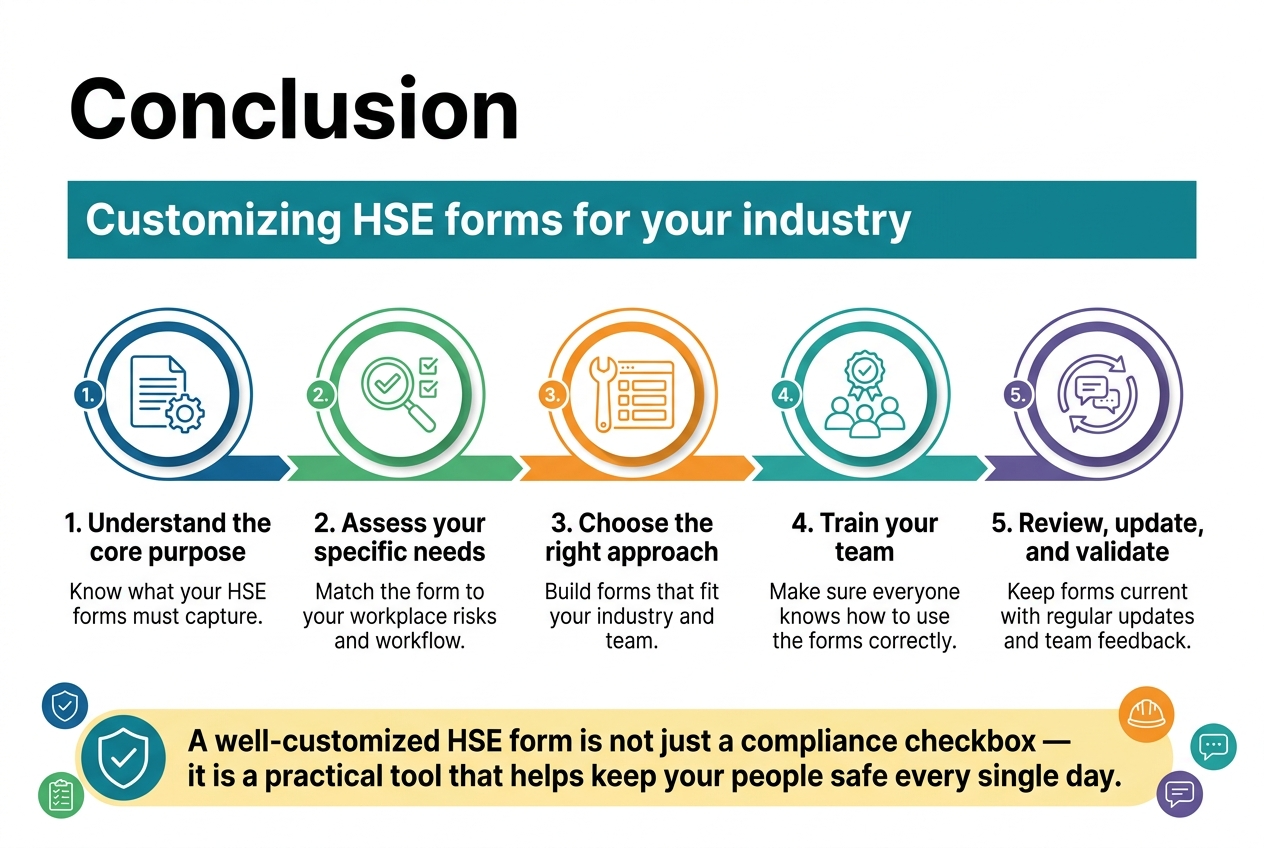
Full-bleed 3:2 landscape infographic, clean professional corporate style, white background with teal, navy, green, and orange accents, modern sans-serif fonts, strong visual hierarchy. Large bold heading at the top left: "Conclusion". Under the heading, a wide horizontal subtitle strip with the text: "Customizing HSE forms for your industry". Use a 5-step process laid out in five connected horizontal sections across the page, with clear numbered circles and icons.

Section 1 on the left: blue circular icon with a document and gear, title text: "1. Understand the core purpose", short body text beneath: "Know what your HSE forms must capture."

Section 2: green circular icon with a magnifying glass and checklist, title text: "2. Assess your specific needs", body text: "Match the form to your workplace risks and workflow."

Section 3: orange circular icon with a wrench and form fields, title text: "3. Choose the right approach", body text: "Build forms that fit your industry and team."

Section 4: teal circular icon with a group of people and training badge, title text: "4. Train your team", body text: "Make sure everyone knows how to use the forms correctly."

Section 5: purple circular icon with circular arrows and a feedback speech bubble, title text: "5. Review, update, and validate", body text: "Keep forms current with regular updates and team feedback."

Across the bottom, a wide highlighted banner with a shield-and-check icon and bold text: "A well-customized HSE form is not just a compliance checkbox — it is a practical tool that helps keep your people safe every single day."

Use subtle connecting arrows between the five sections. Add small supporting icons near the bottom banner: a shield, a checklist, a safety helmet, and a feedback bubble. Keep spacing wide and balanced, with a multi-column horizontal layout, no vertical poster frame, no inset margins, no clutter.

Customizing HSE forms for your industry is not a one-size-fits-all process, but when done right, it makes a real difference in how effectively your team manages health, safety, and environmental risks. From understanding the core purpose of these forms to assessing your specific needs, choosing the right approach, and training your team, every step plays a role in building a system that actually works for your workplace.

The work does not stop once your forms are live. Regular updates, ongoing validation, and keeping your team in the loop are what keep your HSE processes sharp and relevant as your industry evolves. Take the time to review your forms regularly, gather feedback from the people using them, and make adjustments as needed. A well-customized HSE form is not just a compliance checkbox — it is a practical tool that helps keep your people safe every single day.

HSE Materials Newsletter Form

Subscribe to our newsletter

Welcome to our Newsletter Subscription Center. Sign up using the newsletter form below to receive the latest news and updates from our company.


Leave a Reply

Your email address will not be published. Required fields are marked *